Every tool your shop needs.
23 modules, one unified platform. From the first customer inquiry through production, design, delivery, invoicing, and payroll.
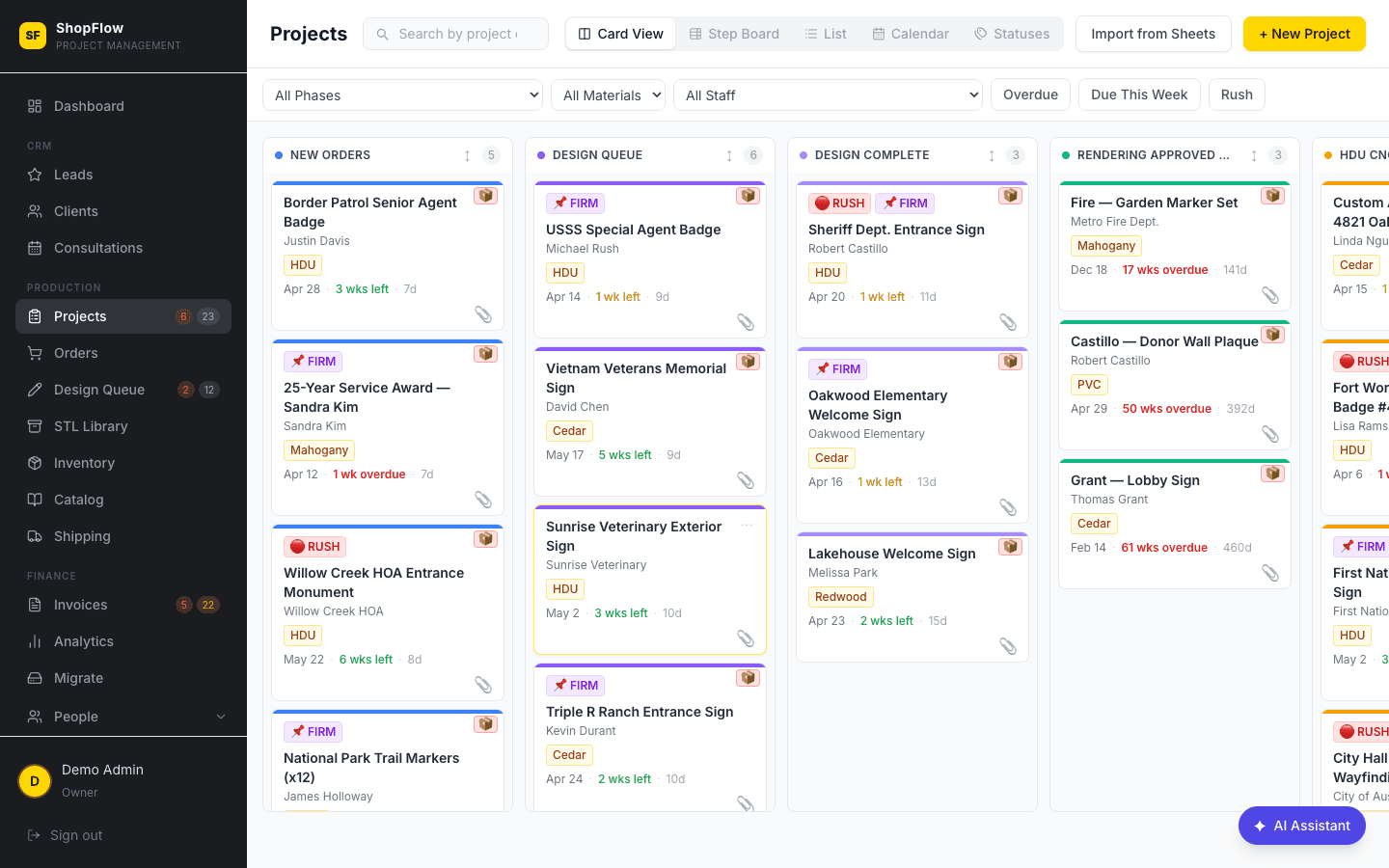
Project Kanban Board
Every active order, one drag-and-drop view.
The heart of ShopFlow OS. Every order lives on a visual kanban with fully customizable production phases — from New Orders through Quality Check to Ready for Pickup. Drag a card to move phases, filter by urgency or material, and know at a glance what's overdue.
- ✓Customizable production phases with drag-and-drop
- ✓Cards show project, client, material, size, and weeks remaining
- ✓URGENT and FIRM DATE priority tags, color-coded deadlines
- ✓Split one Square sale into multiple tracked production items
- ✓Design status badges inline on every card
- ✓Kanban view or sortable list view
Admin Dashboard
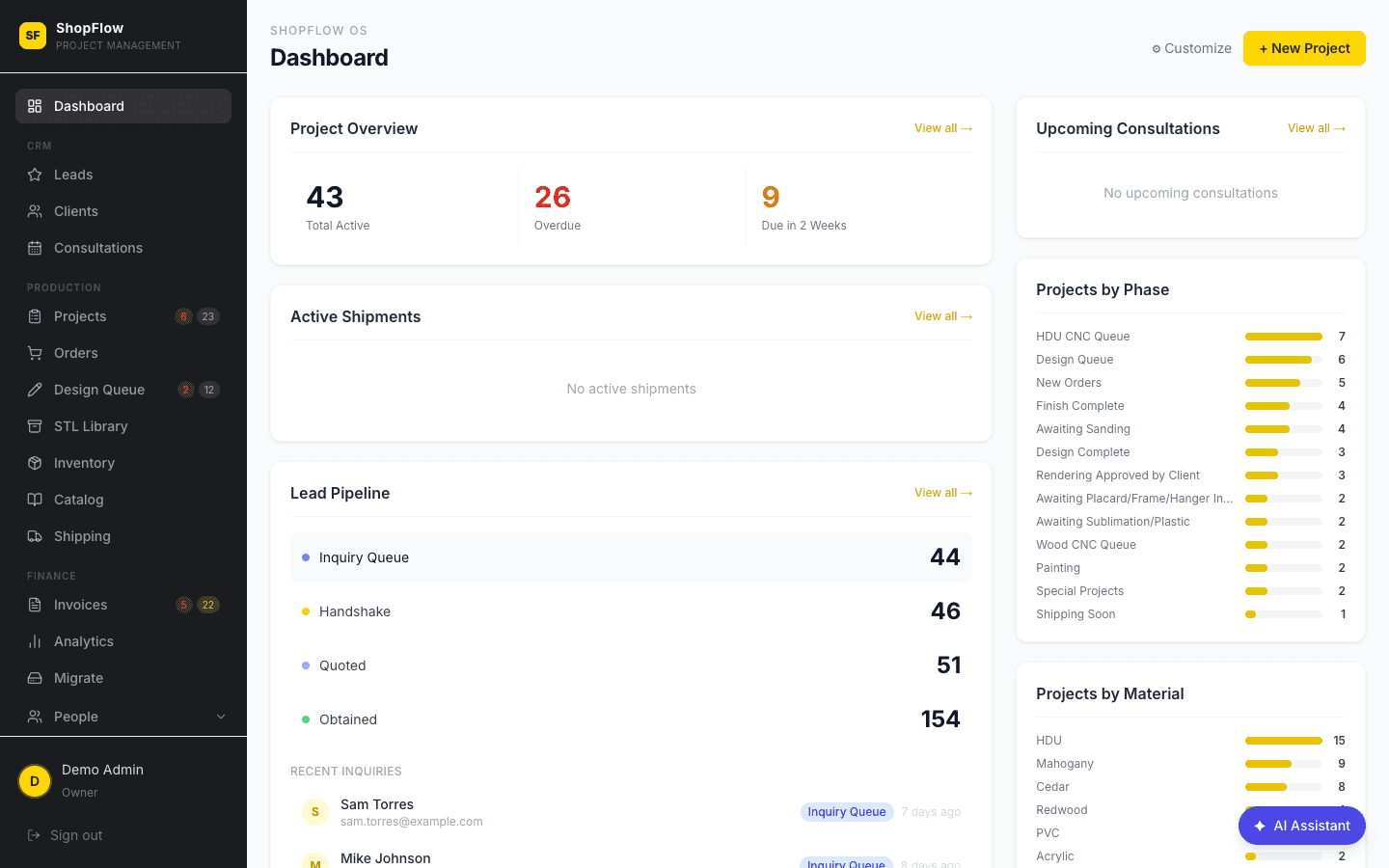
Your whole shop in one glance.
The first thing you see when you log in — a real-time snapshot of active projects, revenue this month, new leads, overdue orders, and the next seven days of due dates. No more digging through spreadsheets to know how the shop is doing.
- ✓Live revenue, project count, and lead metrics
- ✓Overdue and due-this-week alerts
- ✓Recent activity feed
- ✓Quick-access links to every module
Project Detail
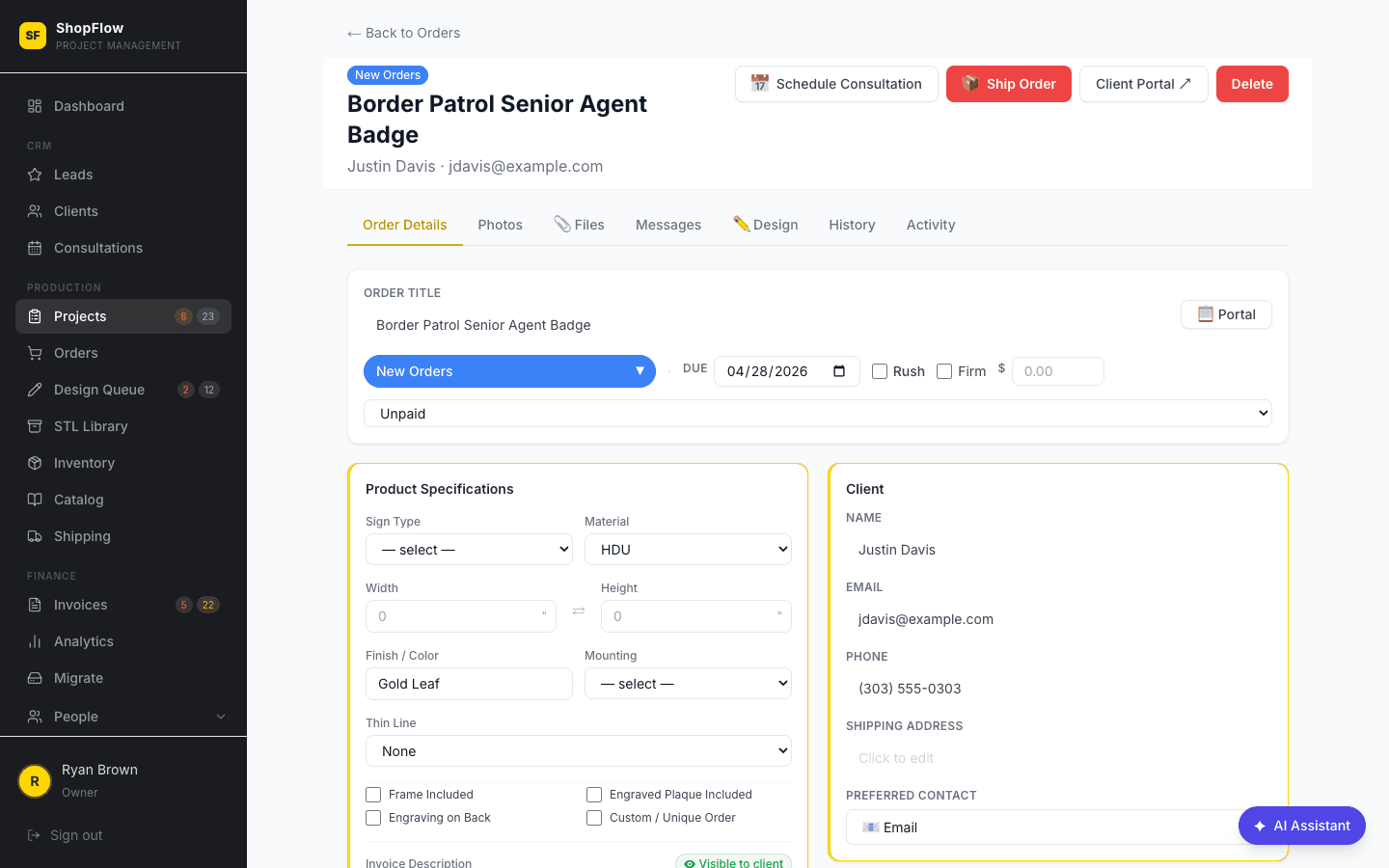
One record, every detail.
Click any card to see the full project: item breakdown with dimensions, material, finish, mounting, plaque text and color, production items, design status, renderings, and the full phase history. Manual edits are tracked with who and when.
- ✓Full item specs: shape, material, finish, hardware
- ✓Production items tracked as siblings with group indicators
- ✓AI-generated descriptions, editable with history
- ✓Linked design requests and rendering approvals
Design Queue
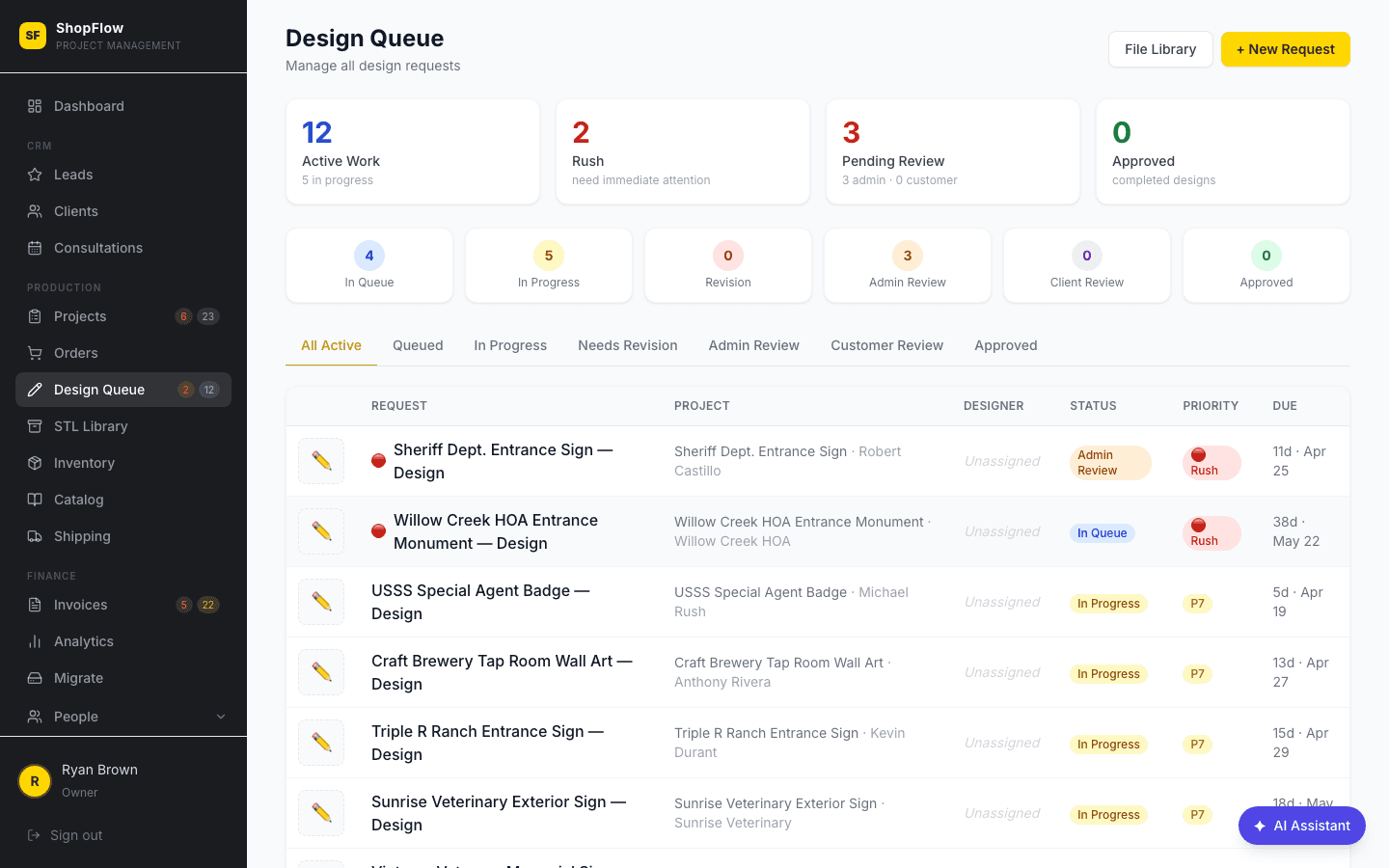
Design work, organized and on-schedule.
A dedicated workspace for every design request. Track status from Queued through Customer Review to Approved, assign designers, count revision rounds, and let clients approve renderings without logging in.
- ✓Prioritized queue separate from production
- ✓Queued → In Progress → Admin Review → Client Review → Approved
- ✓Client-facing approval flow (no login required)
- ✓Revision round tracking
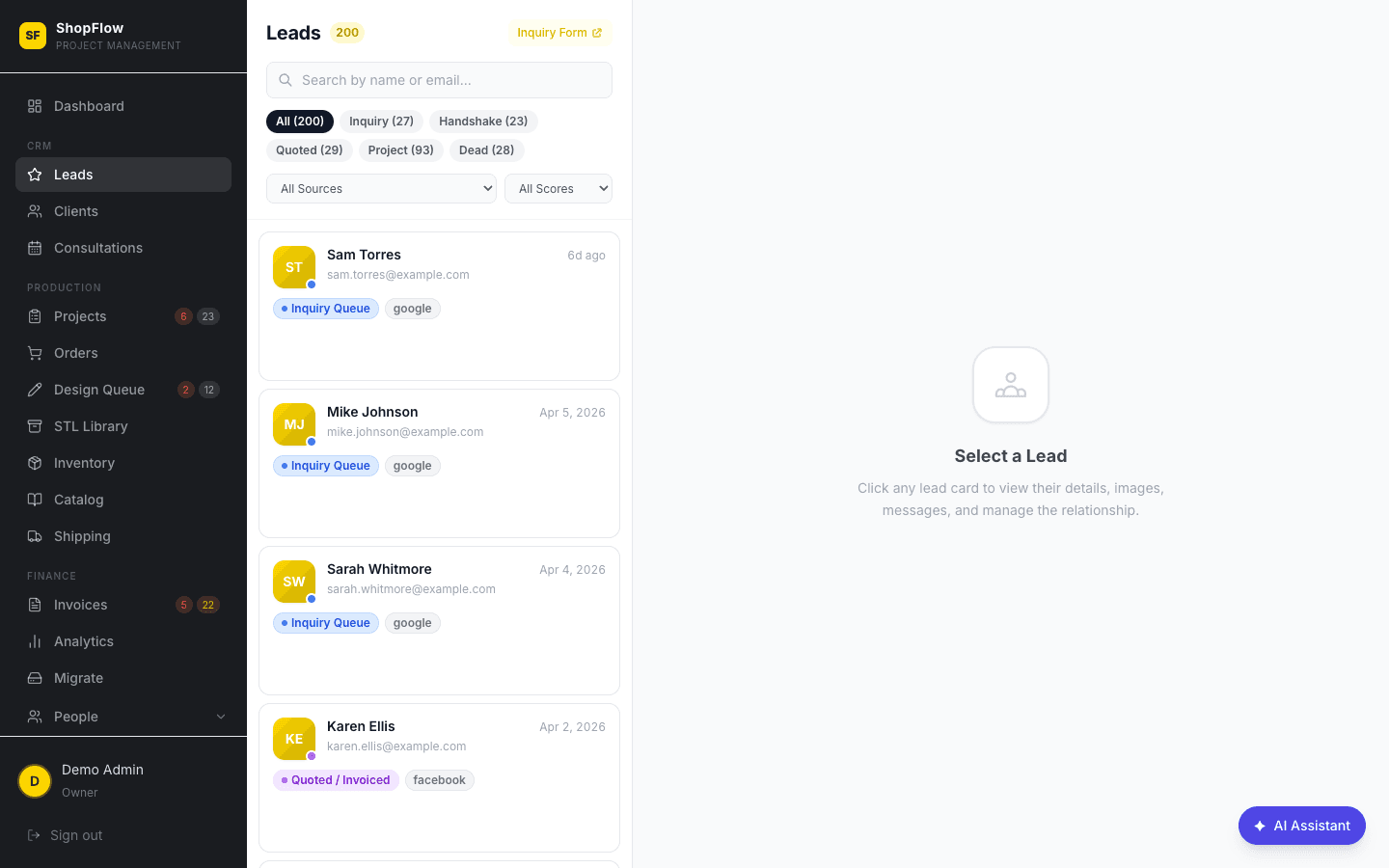
Leads Pipeline
A real CRM, built for shops.
Track prospects from first contact to closed order. Visual pipeline stages, lead source, quote amount, follow-up reminders, and one-click convert-to-project. Lost reason tracking gives you the data to close more next quarter.
- ✓Stages: New Lead → Quoted → Follow-up → Won → Lost
- ✓Lead source tracking and quote amounts
- ✓One-click lead → project conversion
- ✓Follow-up reminders and lost reason analytics
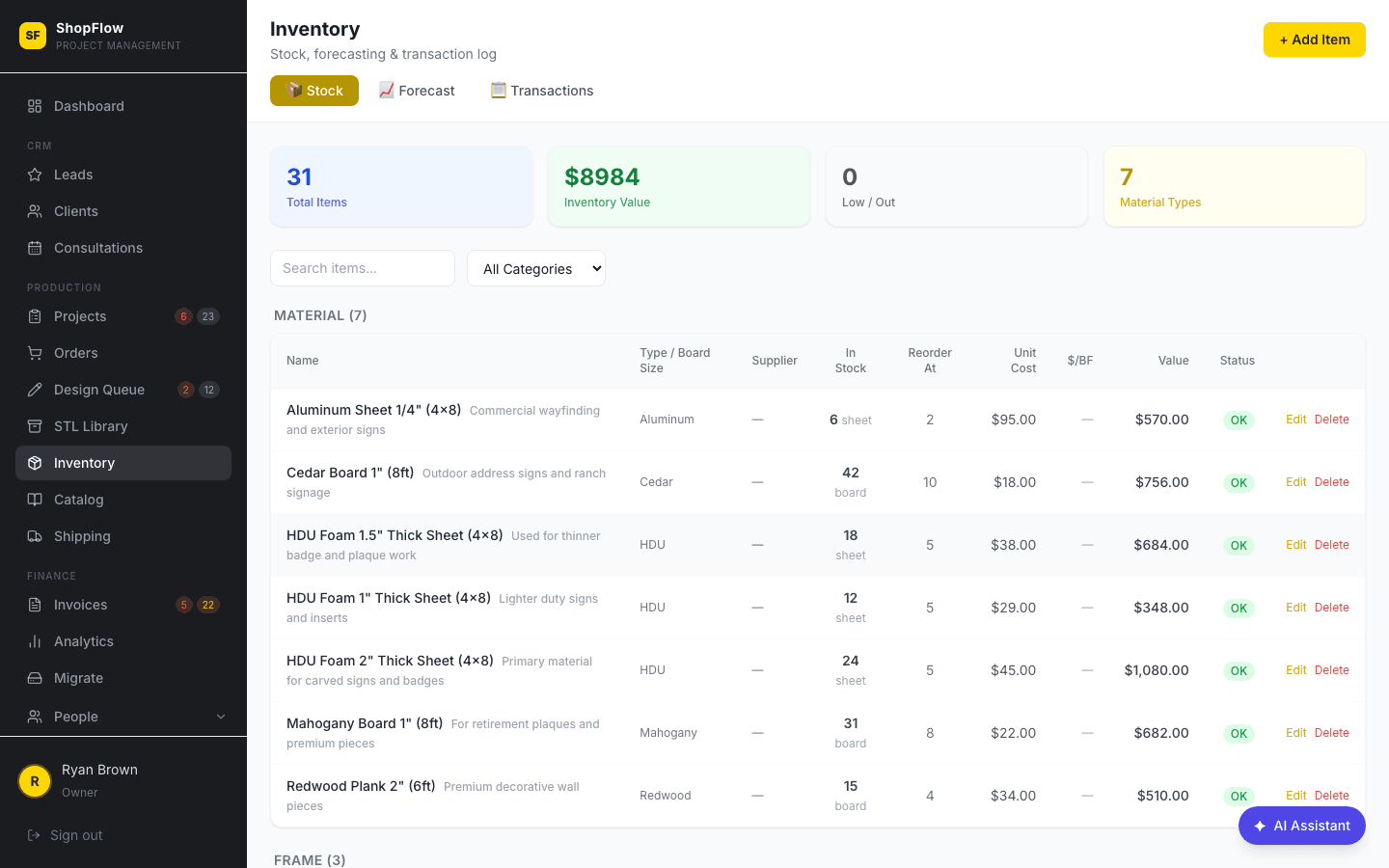
Inventory Management
Materials tracked without a spreadsheet.
Track HDU, mahogany, frame stock, hardware, and finishing supplies with live stock levels, cost per unit, and supplier info. Usage ties back to production items automatically, and low-stock alerts tell you when to reorder.
- ✓Categories: HDU, Mahogany, Frames, Hardware, Finishing
- ✓Low-stock alerts and reorder reminders
- ✓Cost per unit and supplier tracking
- ✓Usage history linked to production items
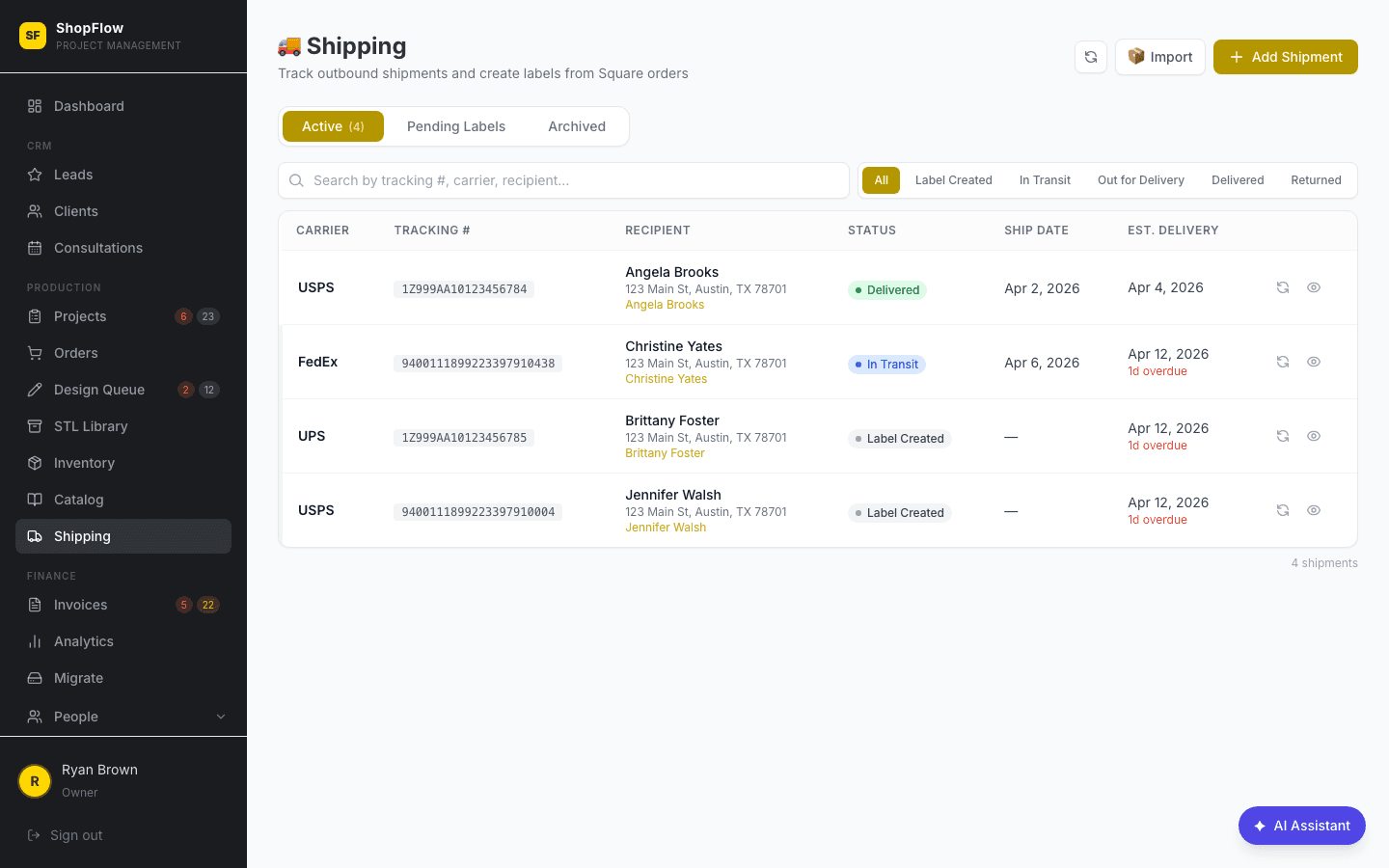
Shipping & Delivery
Outbound orders under control.
Manage every shipment from the shop floor. Pick carrier and method, enter tracking numbers, and trigger automatic client notifications on shipment and delivery. Local delivery, freight, and customer pickup all handled the same way.
- ✓Local delivery, freight, or customer pickup
- ✓Carrier and tracking number entry
- ✓Automatic client shipment notifications
- ✓Delivery confirmation with address management
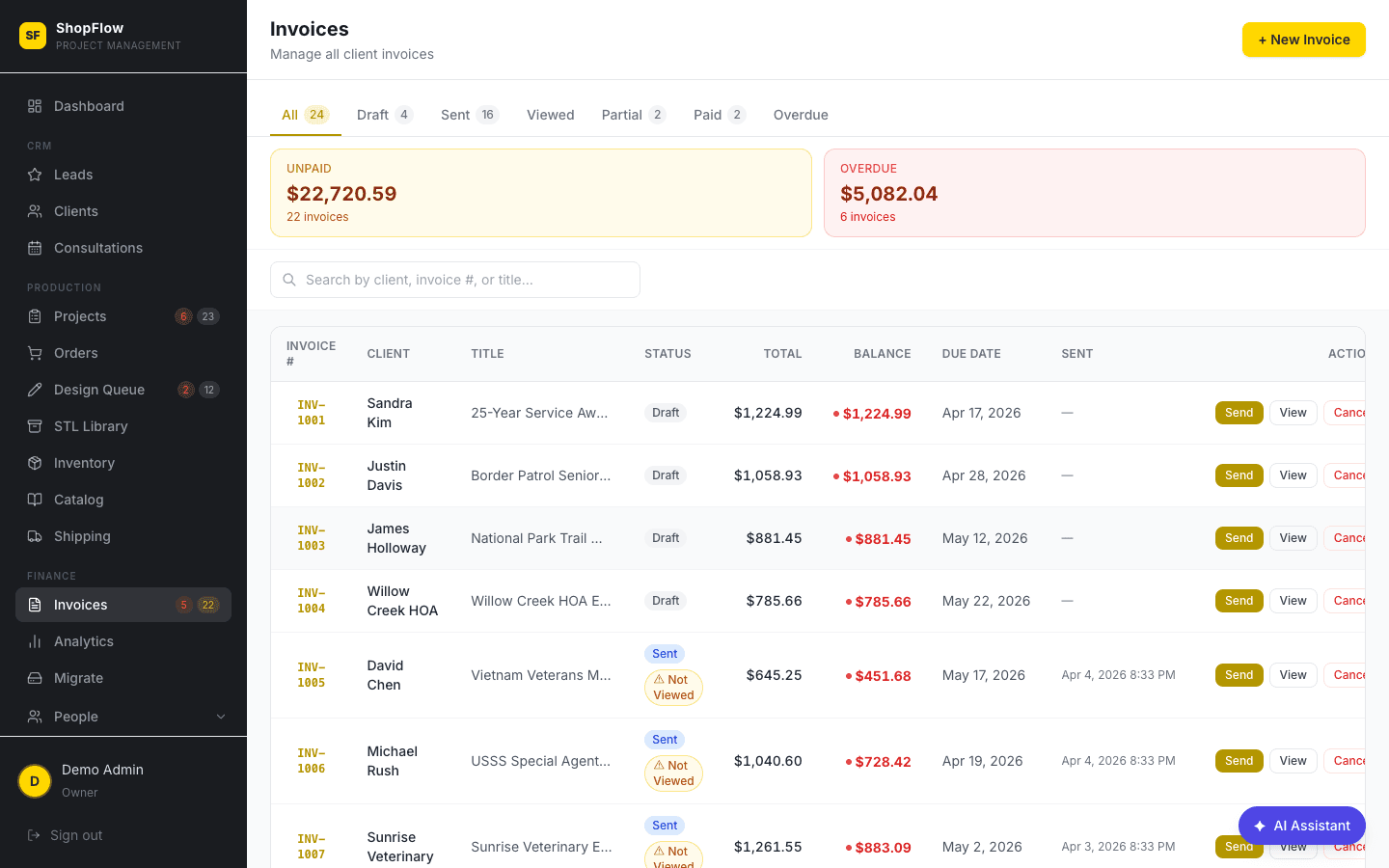
Invoices & Payments
Invoicing integrated with production.
Generate itemized invoices directly from project data, accept Square card payments online, and give clients a no-login portal to pay. Track Draft, Sent, Paid, and Overdue status and watch monthly revenue in real time.
- ✓Line items pulled from order details
- ✓Square card payments integrated
- ✓Client-facing invoice portal, no login required
- ✓Monthly revenue tracking
Advanced Invoicing
Milestone billing, split payments, and full audit trails.
Go beyond basic invoicing with milestone-based billing — each milestone gets its own due date and payment schedule. Split a $12,000 monument sign into design deposit, production payment, and installation balance. Track disputes with who opened them and why, see every status change in a timestamped audit trail, and flag line items as taxable or non-taxable.
- ✓Milestone payments with separate due dates per phase
- ✓Split payments across deposits, progress, and final balance
- ✓Dispute tracking: who opened it, reason, resolution
- ✓Full event audit trail on every invoice
- ✓Product spec intake form attached to invoice line items
- ✓Taxable and non-taxable line item flags
- ✓Statuses from Draft through Sent, Paid, Overdue, Disputed, to Archived
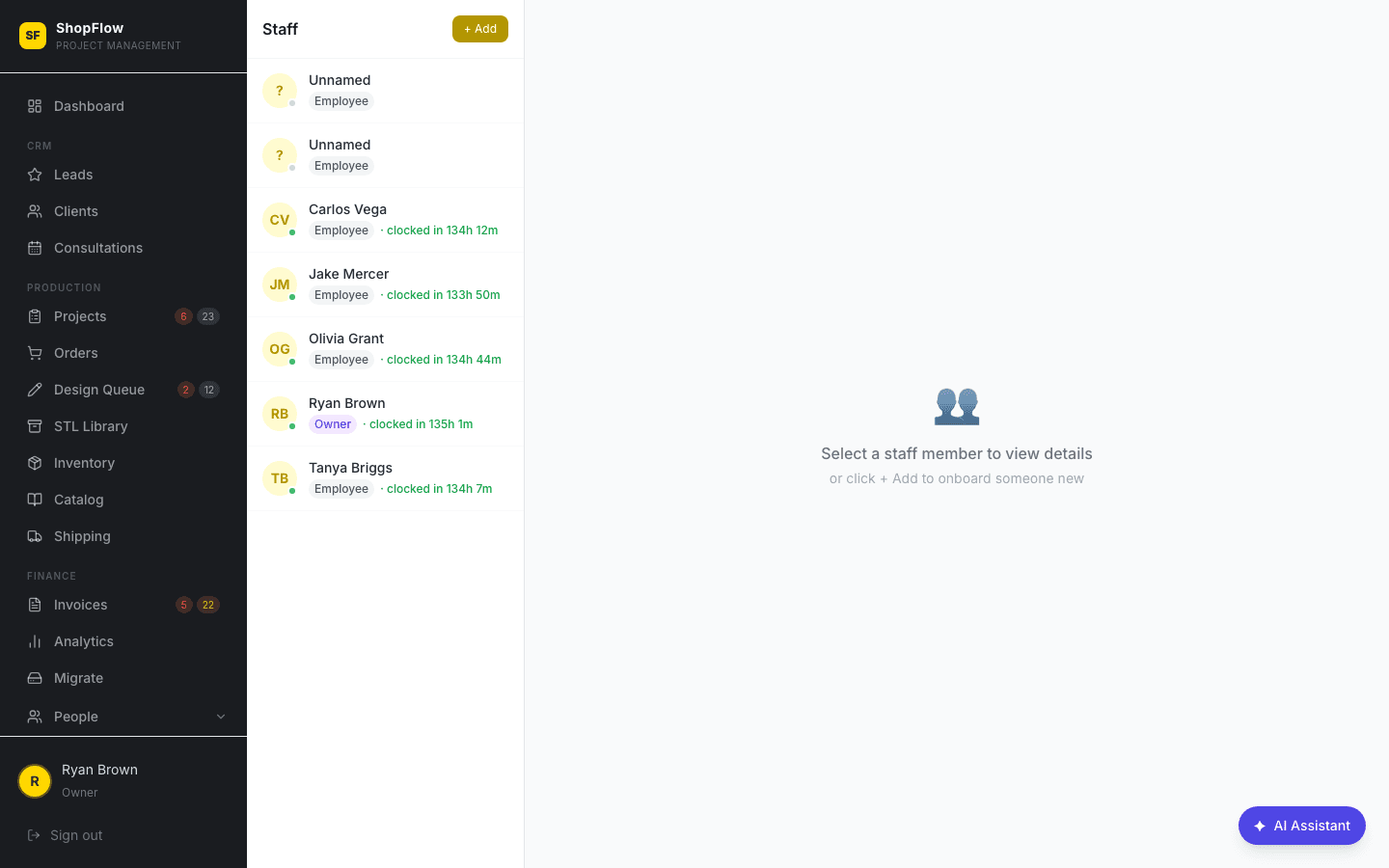
Staff & Team
Your crew, organized.
A clean staff directory with role-based access — Admin, Production, Design, and Sales each see only what they need. Assign projects, track performance notes, and keep your team aligned.
- ✓Role-based access control
- ✓Project assignments per staff member
- ✓Performance notes
- ✓Admin, Production, Design, Sales roles
Granular Permissions
Every employee sees exactly what they need — nothing more.
Go beyond basic roles with per-employee permission grants. Control access to projects, clients, analytics, inventory, timeclock, payroll, staff management, and design queues individually. Track each team member's skills so the right person gets assigned to CNC routing, hand-carving, or gold leaf finishing.
- ✓Per-employee permission toggles for every module
- ✓Separate grants for projects, clients, analytics, inventory
- ✓Timeclock, payroll, staff, and design access controls
- ✓Staff skill tracking tied to task assignment
- ✓Restrict sensitive data without restricting production access
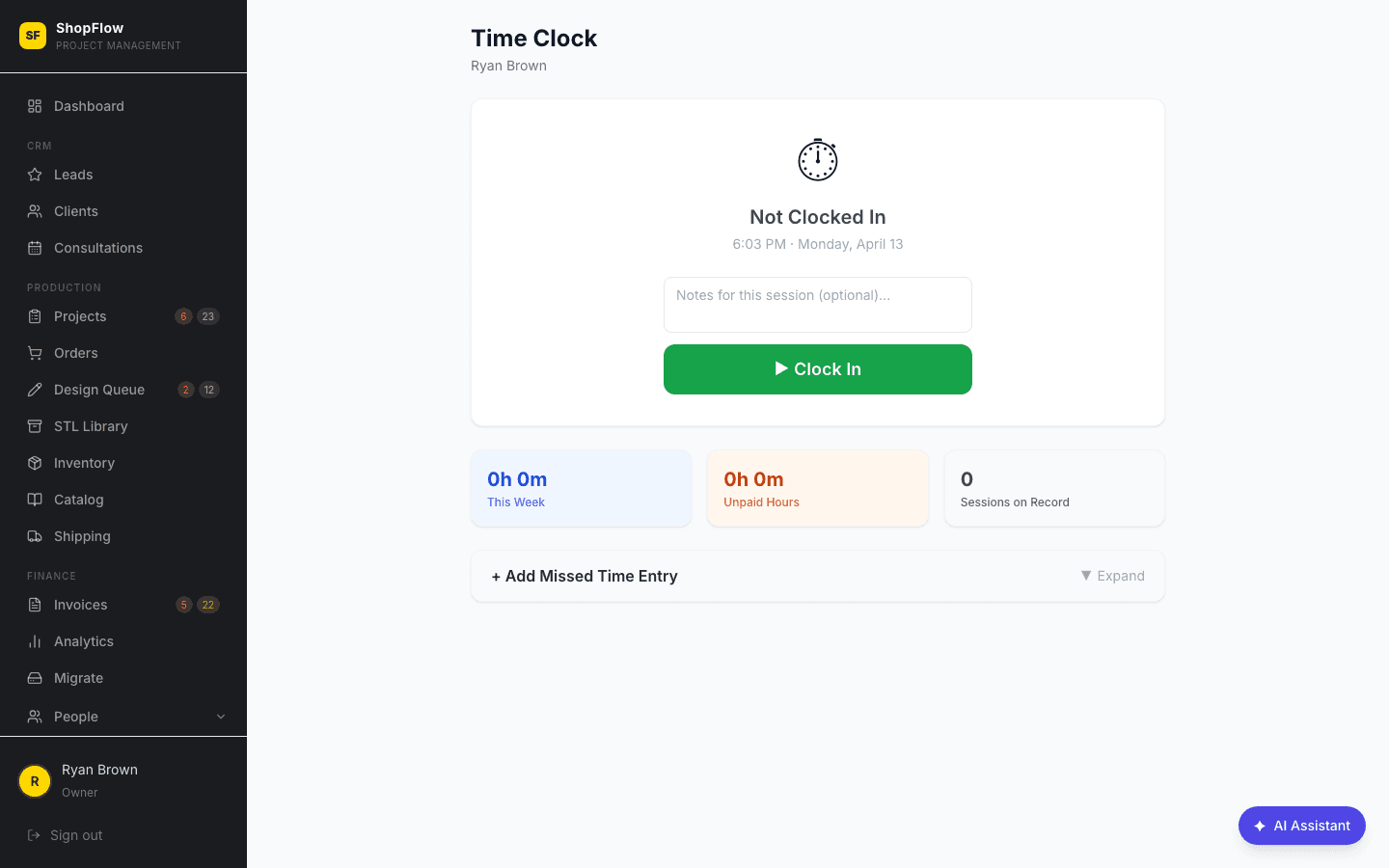
Time Clock
No more paper punch cards.
Employees clock in and out from any device — phone, tablet, or shop computer. Weekly timesheets, automatic break deductions, overtime alerts, and admin overrides. Everything feeds directly into payroll.
- ✓Clock in/out from any device
- ✓Optional GPS location tracking
- ✓Automatic break deductions and overtime alerts
- ✓Weekly timesheets per employee
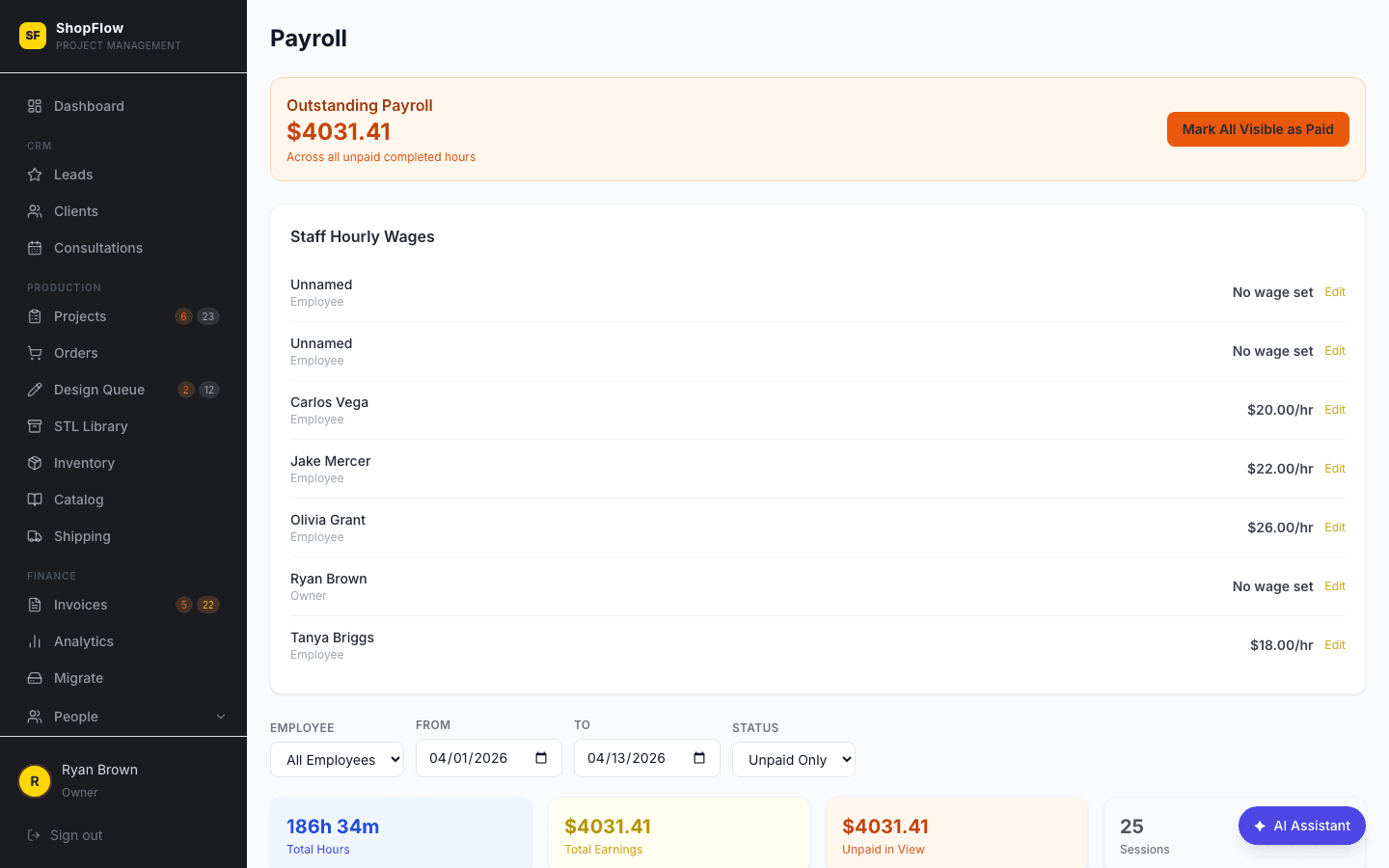
Payroll
Calculated from the clock, not by hand.
Pull hours straight from the time clock. Supports hourly and salary employees, automatic 1.5x overtime after 40 hours, weekly or bi-weekly pay periods, and export-ready summary reports.
- ✓Automatic hours from time clock
- ✓1.5x overtime calculation
- ✓Weekly or bi-weekly pay periods
- ✓Export-ready payroll reports
Task & Workflow System
Step-by-step instructions your crew can actually follow.
Build task templates with detailed step-by-step instructions, reference photos, and skill requirements — then assign them to the right team member. Staff see exactly what to do, ask questions in threaded Q&A, and mark steps complete as they go. Tracks open, pending review, and done status with time estimates and priority levels so nothing falls through the cracks on a busy shop floor.
- ✓Task templates with step-by-step instructions and images
- ✓Staff assignment based on skill requirements
- ✓Threaded Q&A on every task for shop-floor questions
- ✓Status tracking: Open → Pending Review → Done
- ✓Priority levels and time estimation per task
- ✓Reusable templates for recurring jobs like badge finishing or sign assembly
Product Catalog
Your offerings, organized and ready to quote.
Manage your full product lineup — carved signs, plaques, badges, dimensional letters, monument signs — with images, pricing presets, and templates. Bulk import from existing inventory, set display ordering for client-facing views, and pull product specs directly into new quotes and invoices.
- ✓Product entries with images and detailed specs
- ✓Presets and templates for fast quoting
- ✓Bulk import from spreadsheets or existing systems
- ✓Custom display ordering for catalogs and forms
Design Library & Archive
Every design your shop has ever produced, searchable and organized.
Archive completed designs with state and jurisdiction tagging — find that Florida police badge design or the California HOA monument sign in seconds. Folders match your Google Drive structure automatically, so files live in one place but are accessible everywhere. A centralized library that grows more valuable with every job you complete.
- ✓Archival of completed designs with full metadata
- ✓State and jurisdiction tagging for regulatory work
- ✓Automatic Google Drive folder matching
- ✓Centralized file management across all projects
- ✓Searchable by client, type, jurisdiction, or date
Data Sources & Integrations
Pull in your data from everywhere — no middleware, no Zapier.
Connect the tools you already use without paying for middleware. Import Square invoices selectively with a preview before committing. Migrate Trello boards with attachments intact. Map Google Drive folders to projects. Receive Meta lead form webhooks, sync shipping through Shippo, send SMS via Twilio, and import email history — all configured from one admin screen.
- ✓Square invoice import with selective preview
- ✓Trello project migration with attachments
- ✓Google Drive folder mapping per project
- ✓Meta lead form webhook receiver
- ✓Shippo shipping label and tracking sync
- ✓Twilio SMS and Resend email integration
- ✓Email history import for client records
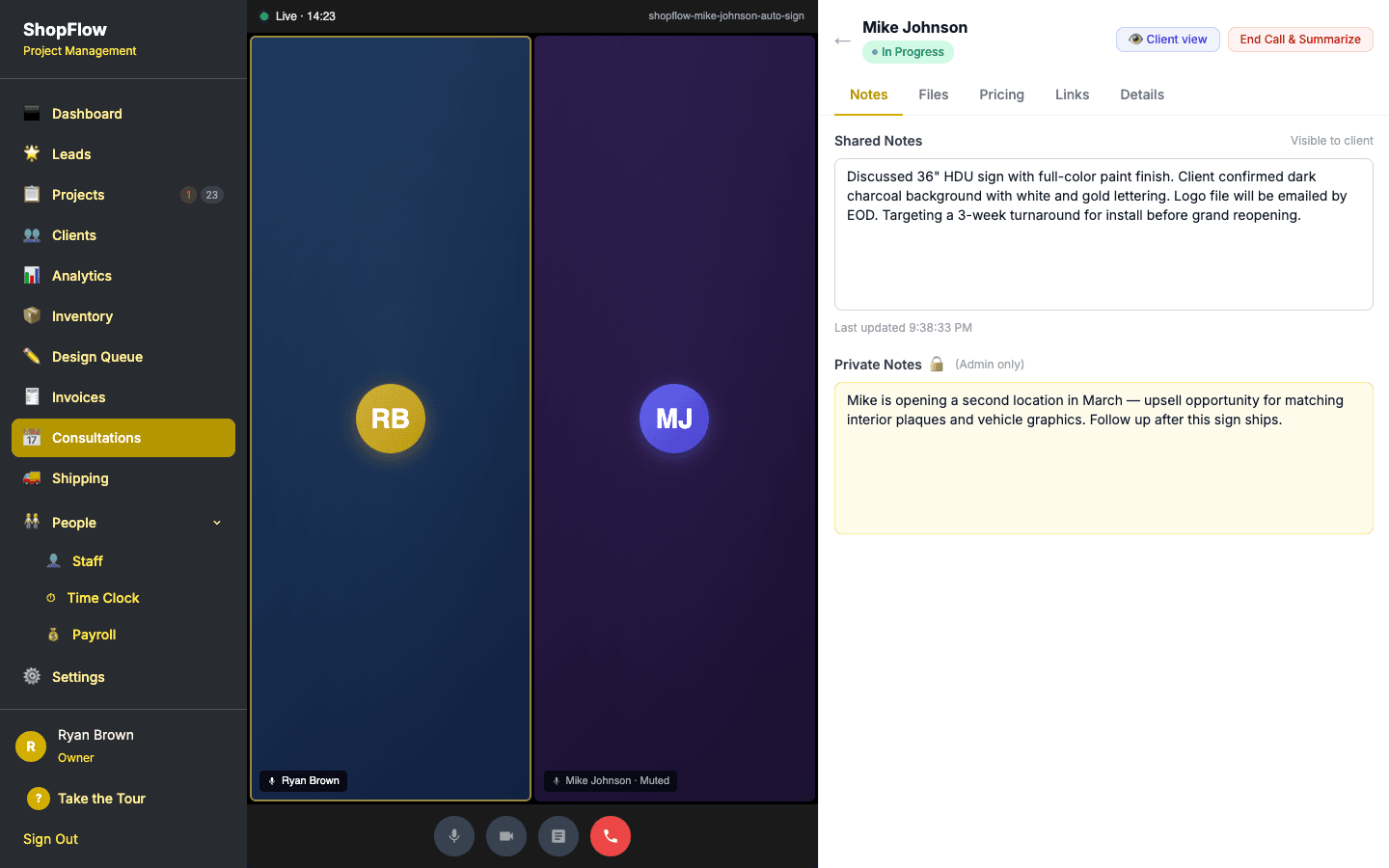
Consultations & Video Calls
A full client meeting workspace, not just a calendar slot.
Propose multiple time slots and let the client pick. Then meet face-to-face right inside ShopFlow OS — built-in Daily.co video on the left, a live collaboration panel on the right. Build itemized pricing during the call, share design files, take shared and private notes, and convert to a lead or invoice with one click when you hang up.
- ✓Built-in video calling — no Zoom, no third-party app
- ✓Split-screen workspace: video on the left, collab panel on the right
- ✓Live itemized pricing builder with show/hide-from-client toggle
- ✓File sharing tagged pre-call, during-call, or client-uploaded
- ✓Shared notes + private admin-only notes
- ✓Reference links (inspiration boards, catalogs) per consultation
- ✓Client picks from proposed time slots via portal link
- ✓One-click convert to lead or invoice after the call
- ✓Status workflow: Proposed → Confirmed → In Progress → Completed
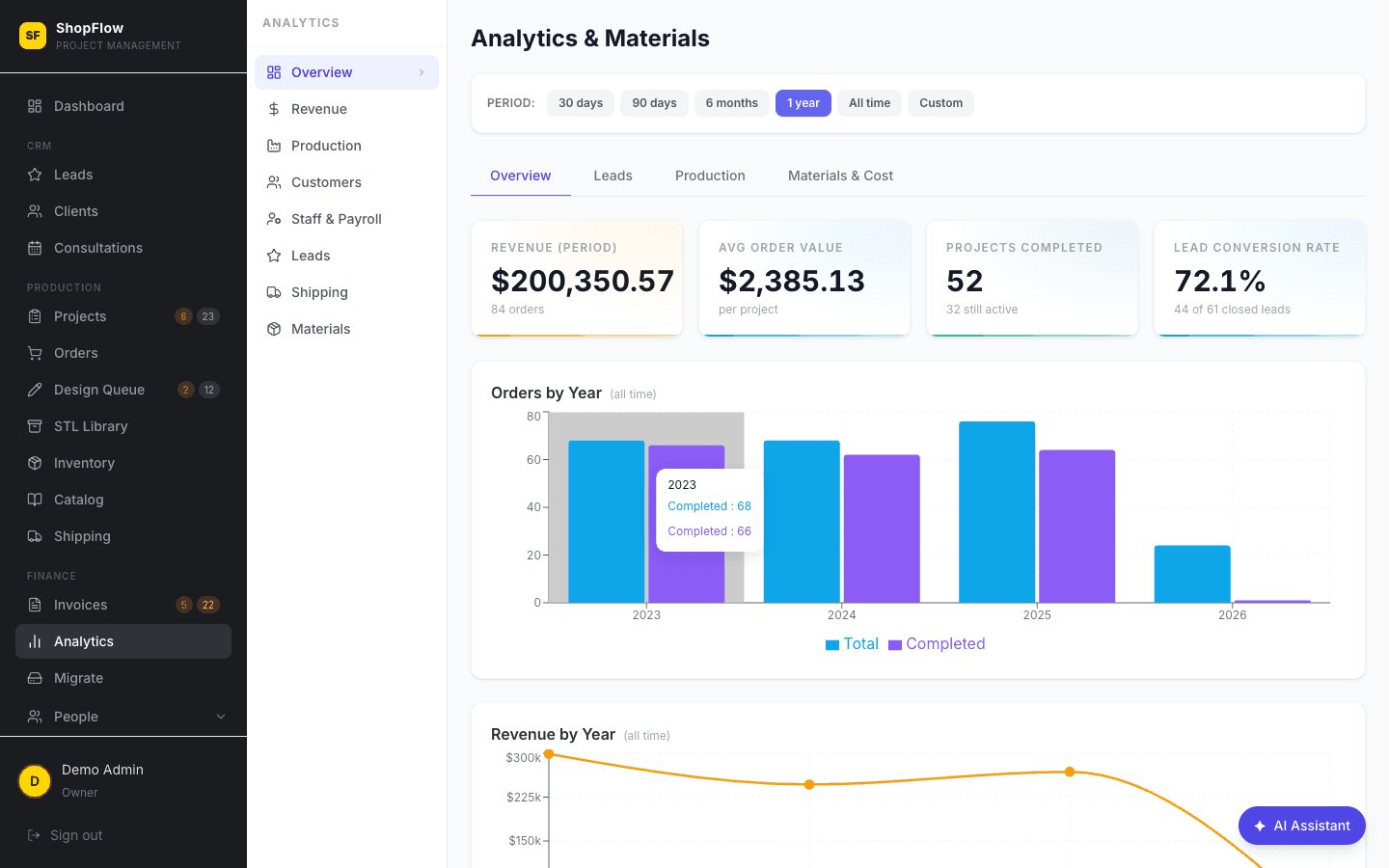
Analytics & Reporting
Know your numbers, finally.
Revenue by month, on-time delivery rate, average production time by phase, lead conversion rate, material usage trends, staff productivity, and design turnaround. Export to CSV for anything deeper.
- ✓Revenue by month, quarter, and year
- ✓On-time delivery rate and average production time
- ✓Lead conversion and material usage
- ✓CSV export
Notifications & Alerts
The whole team, always in the loop.
Email via Resend and SMS via Twilio — clients get order updates, design approval requests, and shipment alerts. Staff get overdue warnings and phase changes. Configurable per event.
- ✓Email notifications via Resend
- ✓SMS notifications via Twilio
- ✓Overdue and phase-change alerts
- ✓Per-event notification preferences
AI-Powered Features
Less typing, more building.
AI parses new Square orders into structured production items, drafts item descriptions from specs, and writes design briefs from order details. A human-in-the-loop Review & Split step keeps you in control of multi-item orders.
- ✓Square order auto-parsing into production items
- ✓AI-drafted item descriptions from specs
- ✓Design brief generation
- ✓Review & Split workflow for multi-item orders
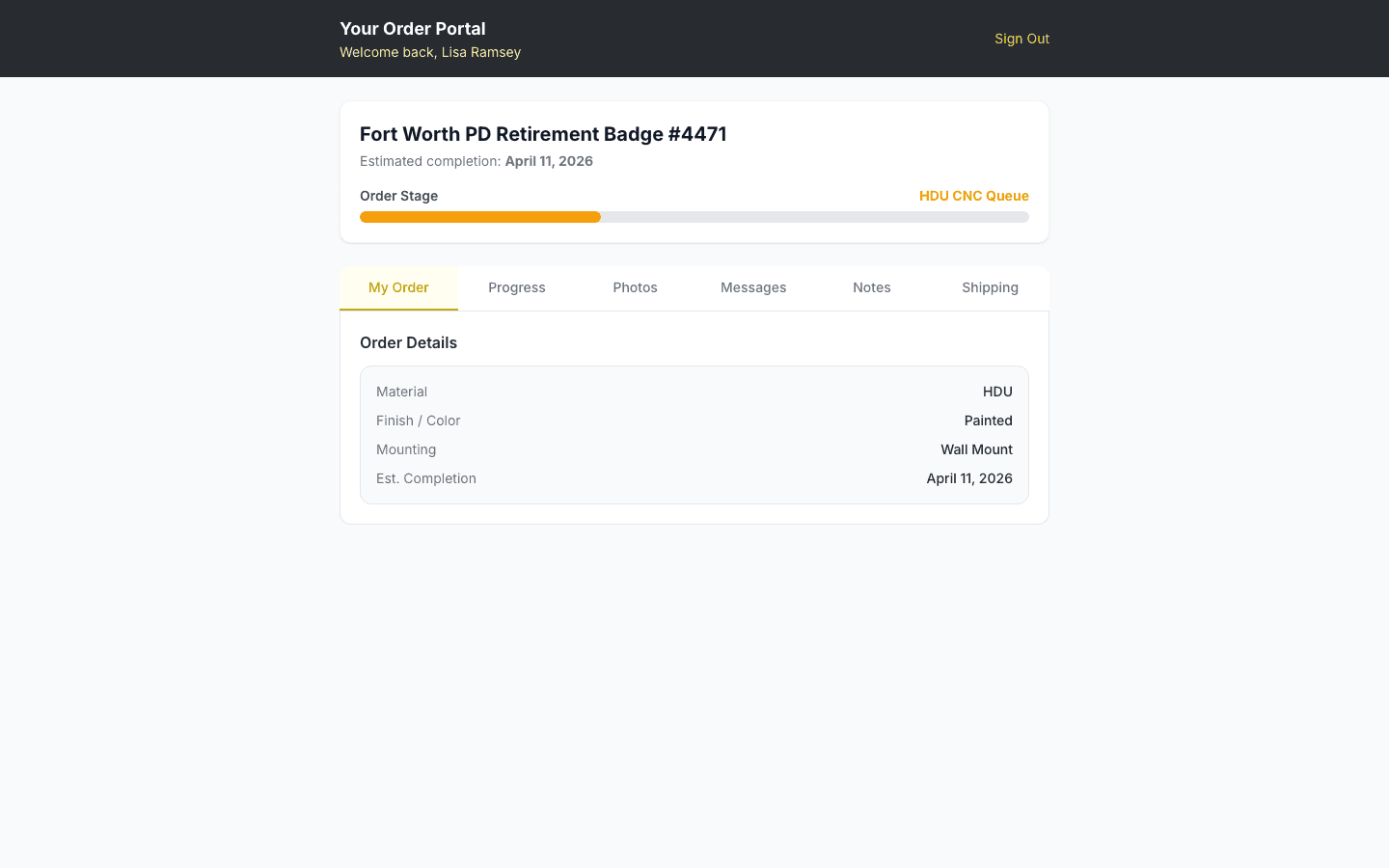
Client Portal
A branded portal for every client. No login required.
Every client gets a secure portal accessed by email link — no password, no signup. They see real-time order status ("Your sign is in: Quality Check"), approve renderings, view and pay invoices, download finished designs, and message the shop. Replaces every "where's my order?" call you've ever taken.
- ✓Real-time production phase visible to the client
- ✓Design rendering approval flow without a login
- ✓View and pay invoices through the portal
- ✓Download completed design files
- ✓Two-way messaging with the shop
- ✓Branded to your business
Public Inquiry Form
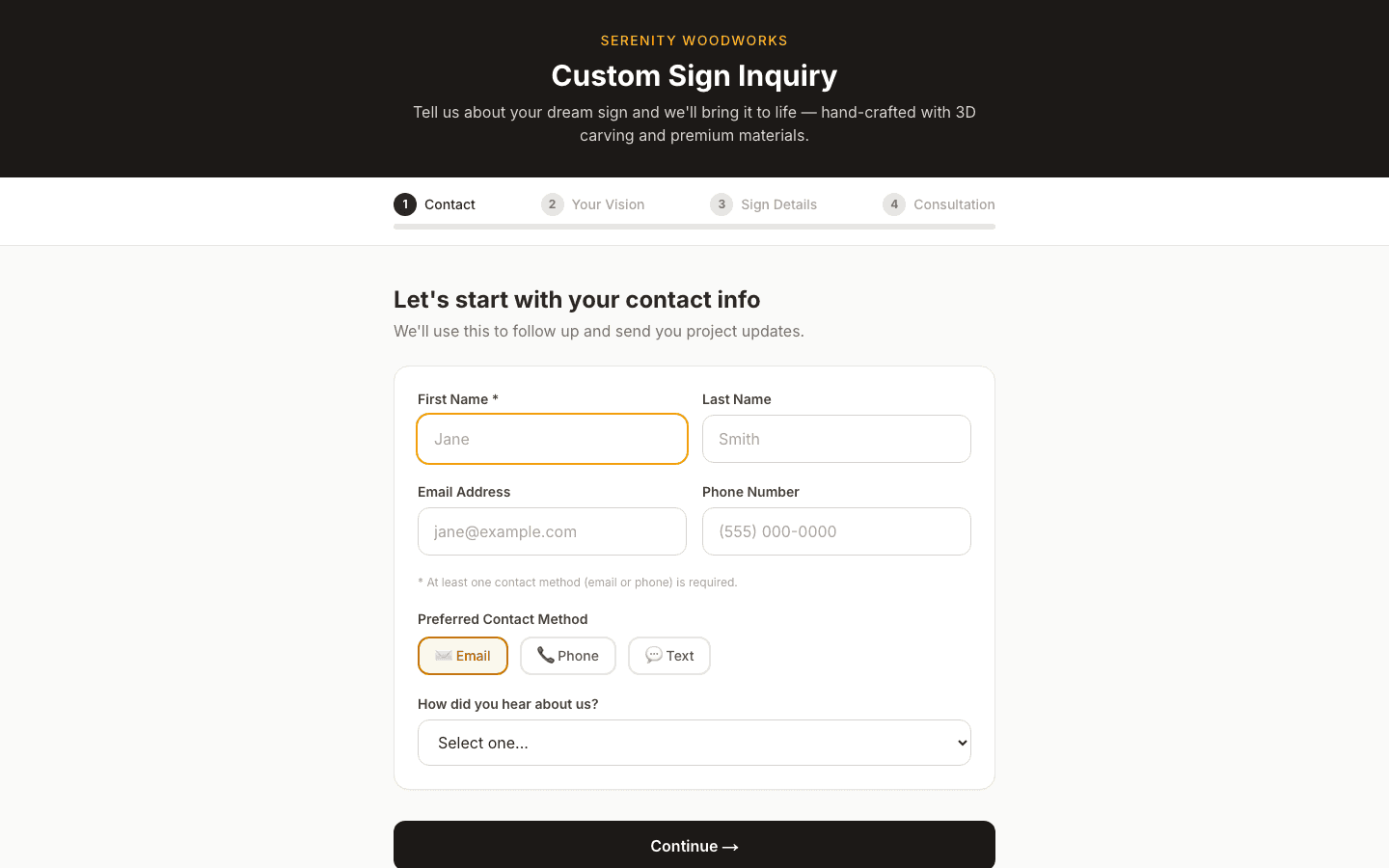
A 4-step configurator that turns visitors into qualified leads.
More than a contact form — a guided 4-step experience that walks prospects through contact info, sign vision, project details, and consultation booking. An interactive sign configurator lets them pick shape, material, size, and mounting style with a visual builder, so you get a real spec instead of a vague email. Embeddable on any website, every submission drops straight into your Leads pipeline with full context.
- ✓4-step guided flow: Contact → Sign Vision → Details → Consultation
- ✓Interactive sign configurator with visual builder
- ✓Shape, material, size, and mounting style selection
- ✓Built-in consultation booking at the end of the form
- ✓Embeddable on any website with a single script tag
- ✓Submissions land directly in the Leads pipeline with full specs
23 modules. One login.
Join the waitlist for early access and founding-shop pricing.
Join the Waitlist →